


Download NVSIP APK – surveillance camera app, live video monitoring, home security app, mobile surveillance tool, free security app, remote camera monitoring, smartphone surveillance, real-time video feed, video recording app, security monitoring software
Overview
NVSIP is a multimedia application developed by Autoid, designed to transform mobile devices into remote surveillance monitoring tools. This free-to-use software enables users to monitor multiple locations simultaneously, including homes, bedrooms, living rooms, and outdoor areas, through connected cameras or webcams. The application serves as a practical solution for homeowners seeking to maintain property security, especially when away from home or during nighttime hours.
By leveraging an internet connection, users can access live video feeds directly from their smartphones, making it a convenient option for personal security management. The software supports integration with various camera devices and allows for straightforward setup using either a camera URL or QR code scanning. While the app does not specify advanced AI-based detection or cloud storage features, it offers core functionalities such as live streaming, video recording, audio control, and alarm activation.
The developer did not provide additional details about the company's background or technical infrastructure. Real-world usage scenarios include monitoring elderly family members, checking on pets, or verifying home safety during travel. Its compatibility limitations with certain phone models suggest it may not suit all Android users, but its free pricing model makes it accessible for trial and evaluation.
Key Features & Capabilities
- Live Video Streaming: Enables real-time viewing of camera feeds directly from mobile devices, allowing users to monitor their property remotely.
- Video Recording: Offers the ability to save live video streams to the device’s internal memory with a single tap, useful for preserving evidence or reviewing events.
- Audio Control: Allows users to enable or disable the sound feed during monitoring, providing flexibility based on privacy needs or situational awareness.
- Alarm Functionality: Includes a feature to set alarms, which may trigger alerts when motion or other conditions are detected—though specific detection logic was not detailed.
- Camera Integration: Supports connection to various camera devices and webcams by entering the camera URL or scanning a QR code, simplifying setup for multiple surveillance points.
- Multi-Location Monitoring: Facilitates simultaneous viewing of multiple camera feeds, enhancing oversight across different areas of a property.
These capabilities make NVSIP suitable for users seeking a basic yet functional remote monitoring system. For instance, a homeowner can use the app to check on a child’s room while at work or verify if a door was left open after dark. The ability to record and save video clips locally ensures that important events are preserved. However, the visual quality of the video feed has been described as having a cartoon-like appearance, which may affect clarity in critical situations. The app’s reliance on internet connectivity means performance may vary based on network stability.
User Interface, Workflow & Performance
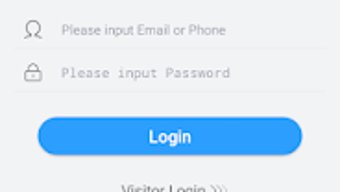
The user interface of NVSIP appears to be structured around simplicity and direct access to core functions. Navigation is likely streamlined to prioritize live feed viewing, with key controls—such as recording, audio toggle, and alarm settings—positioned within easy reach. The workflow begins with adding a camera via URL input or QR code scanning, followed by authentication using login credentials.
Once configured, users can access feeds with minimal delay. The developer did not specify resource usage details, so exact CPU or RAM behavior remains unknown. Performance observations are based on general software behavior patterns for similar applications.
Users may experience fluctuations in video quality or latency depending on network speed and camera resolution. Stability during extended monitoring sessions has not been confirmed. The app’s interface design seems optimized for mobile touch interaction, though the lack of detailed onboarding or tutorial content may pose challenges for first-time users unfamiliar with surveillance systems.
Overall, the app aims for usability without requiring technical expertise, but the absence of advanced customization options limits flexibility for experienced users.
Compatibility & System Requirements
NVSIP is designed for Android devices and runs on version 1.0.1, with a file size of 28.5 MB. The application is available as a free download, making it accessible to a broad audience. However, the developer did not specify exact system requirements such as minimum RAM, processor type, or supported Android versions beyond the OS designation.
Compatibility information was partially provided, with a note that the app is not compatible with all phone models. This suggests potential limitations in hardware or software support, particularly for older or low-end devices. Users are advised to verify device compatibility before installation.
The app does not require external hardware beyond a camera or webcam and relies solely on internet connectivity for operation. No additional dependencies or background services were mentioned. Installation is straightforward, and the lightweight size contributes to minimal storage impact.
For users considering deployment across multiple devices, the lack of cross-platform availability (e.g., iOS or desktop) restricts broader usage.
Pros and Cons
Pros
- Free to use with no upfront cost
- Supports multiple camera integration via URL or QR code
- Enables live video streaming and local video recording
- Simple setup process with intuitive navigation
- Offers audio control and alarm functionality
- Lightweight at 28.5 MB, suitable for devices with limited storage
Cons
- Not compatible with all Android phone models
- Video feed quality described as cartoon-like, potentially reducing clarity
- Contains ads due to free pricing model
- Limited system requirements information provided
- Only available on Android, no iOS or desktop support
- Relies on internet connection; performance depends on network stability
FAQ Section
Is NVSIP compatible with all Android phones?
The app is not compatible with all Android phone models. Users should verify device compatibility before downloading.
Can I use NVSIP with my webcam?
Yes, NVSIP supports integration with webcams as long as they are accessible via a URL or can be connected through the app’s setup process.
Is the app safe to use?
NVSIP is a free app available from official sources. As with any surveillance tool, users should ensure they are using it legally and ethically, especially in shared or private spaces.
Does NVSIP require an internet connection?
Yes, an active internet connection is required to stream live video feeds and access remote camera data.
Can I record video from the app?
Yes, the app allows users to save live video streams directly to the device’s memory with a single tap.
Final Thoughts + CTA
NVSIP offers a straightforward and accessible solution for home and personal surveillance needs, particularly for users seeking a free tool to monitor multiple locations remotely. While its video quality may not match professional-grade systems and compatibility is limited to certain Android devices, the app delivers essential features such as live streaming, local recording, audio control, and alarm settings. Its ease of setup and lightweight design make it ideal for casual users, homeowners, or those testing surveillance solutions without investment.
The inclusion of ads is expected given the free model, but it does not significantly hinder core functionality. For individuals looking for a simple, no-cost way to turn their smartphones into monitoring devices, NVSIP presents a viable option. Download NVSIP now to start securing your property with real-time video monitoring.







